Mark up & redact
Highlight, underline, add shapes and dated stamps — then truly black out anything sensitive, baked into the export so it can’t be recovered.

PDF Editor & Scanner
A powerful, privacy-first document scanner for iPhone, iPad & Mac. Scan and enhance any document, pull out the text and data, mark it up, translate it, sign it, and export it — all processed on your device.

Free to download · iPhone, iPad & Mac · iOS 17+
Highlight, underline, add shapes and dated stamps — then truly black out anything sensitive, baked into the export so it can’t be recovered.
Summarise any page in a tap and have it read aloud — written on your device, free, and never uploaded. (Summary: iOS 26)
A faster, rebuilt camera adds two-sided ID capture, book-spread split, automatic shadow removal and an adaptive black-&-white mode.
An in-document find bar, semantic search across every scan, and the ability to move a page from one document to another.
Tell Docusy the one thing you came to do — edit text, sign, or extract a receipt — and your very first scan does exactly that.
Docusy now opens in a refined dark theme, with a System / Light / Dark switch in Settings.
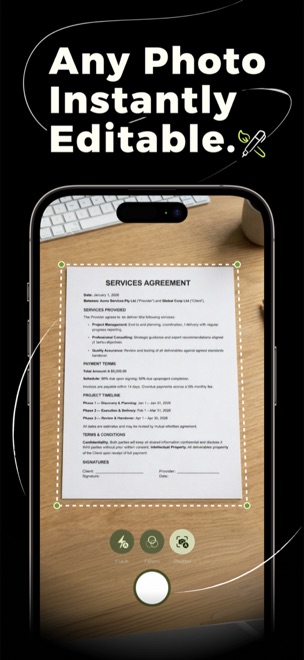
Point and capture — a rebuilt scanner detects the document edges, corrects the perspective, and removes shadows so text stays crisp. Capture receipts, contracts, whiteboards and handwritten notes — plus two-sided ID cards and book spreads, split into clean pages.
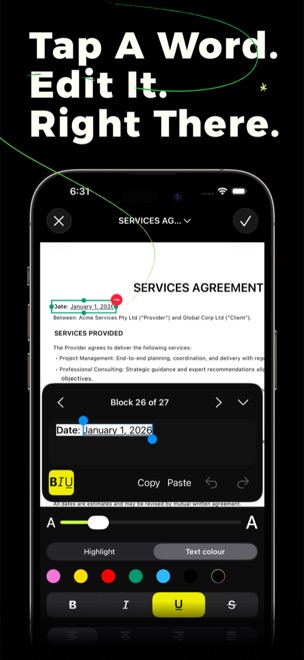
On-device OCR reads every scan. Tap a word or block to correct it, copy it, or search it. Live Text lets you select and act on text right on the page — your scans become genuine, editable documents.
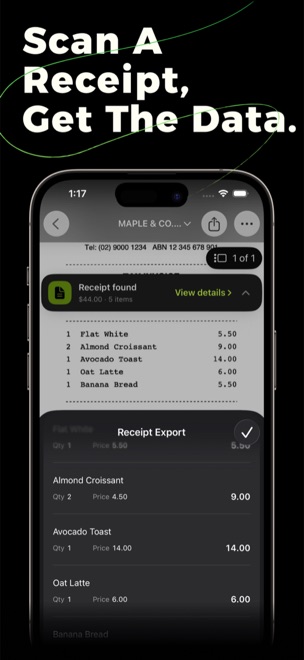
Docusy automatically detects the merchant, date, totals and individual line items on a receipt. Review the extracted data and export it as CSV — perfect for expenses and bookkeeping.
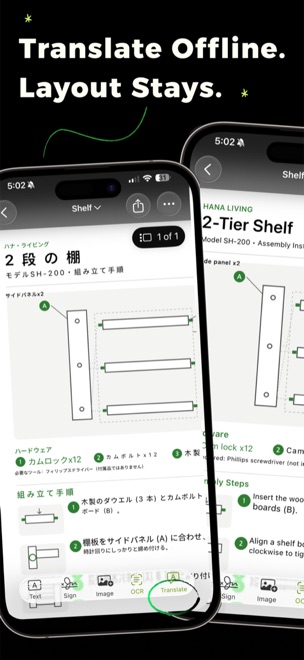
Translate a document’s text right on your device and read it in place — the original layout stays exactly as it was. No internet needed, and nothing ever leaves your phone. (iOS 18+)
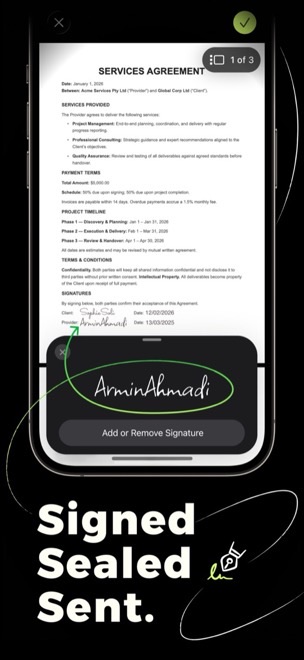
Add your signature, highlight and underline recognised text, drop in shapes and dated stamps — and black out anything sensitive with true redaction that’s baked into the export. Finalise and send without ever reaching for a printer.
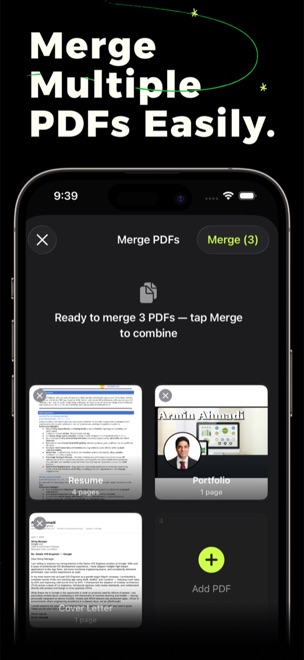
Combine scans into multi-page PDFs, reorder pages with a drag, and keep everything tidy in projects.
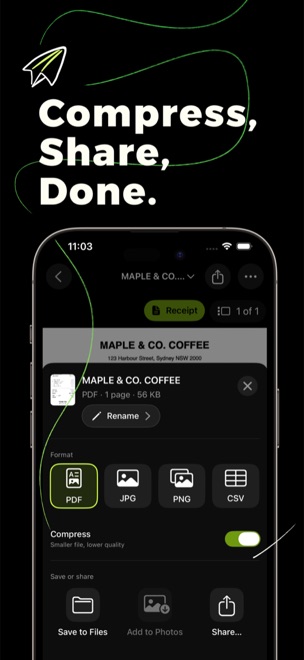
Save as PDF, JPG, PNG, CSV or plain text — and Word or Excel on iOS 26. Share through the system share sheet, save to Files, add to Photos, or print — one tap and it’s done.
iPhone & iPad, iOS 17 or later. Macs with Apple silicon.
Free to download. Some advanced features are part of an optional premium subscription.
OCR, data extraction, translation (iOS 18+) and AI page summaries (iOS 26) all run locally — no account needed.
Download Docusy free on iPhone, iPad & Mac.